SaaS activity tracking: designing an admin log teams trust
This case covers a response management system where every team action is critical and managers need proof, not summaries. The admin wants to see all activities their team performed — logins, permission changes, file and project updates — with timestamps, and share or export any of it on demand.
An activity log earns trust when every entry carries who, what, and when — and an admin can filter, search, share, or export it without leaving the flow.
The brief: proof, not another table
Workforce tools fail admins the same way: data exists somewhere, but nobody can answer what changed, who changed it, and when. Managers and team leads were tracking updates by asking around. Tools for the work: Figma, FigJam boards, and pen and paper for the early flows.
The fixed activity sets the design had to cover: user profile (logins, settings and permission changes, personal info edits), date and time ranges, event types, files (created, shared, moved, renamed, trashed, restored, deleted), contents (content changes, comment datasets), and projects (created, moved, access changes, status changes).
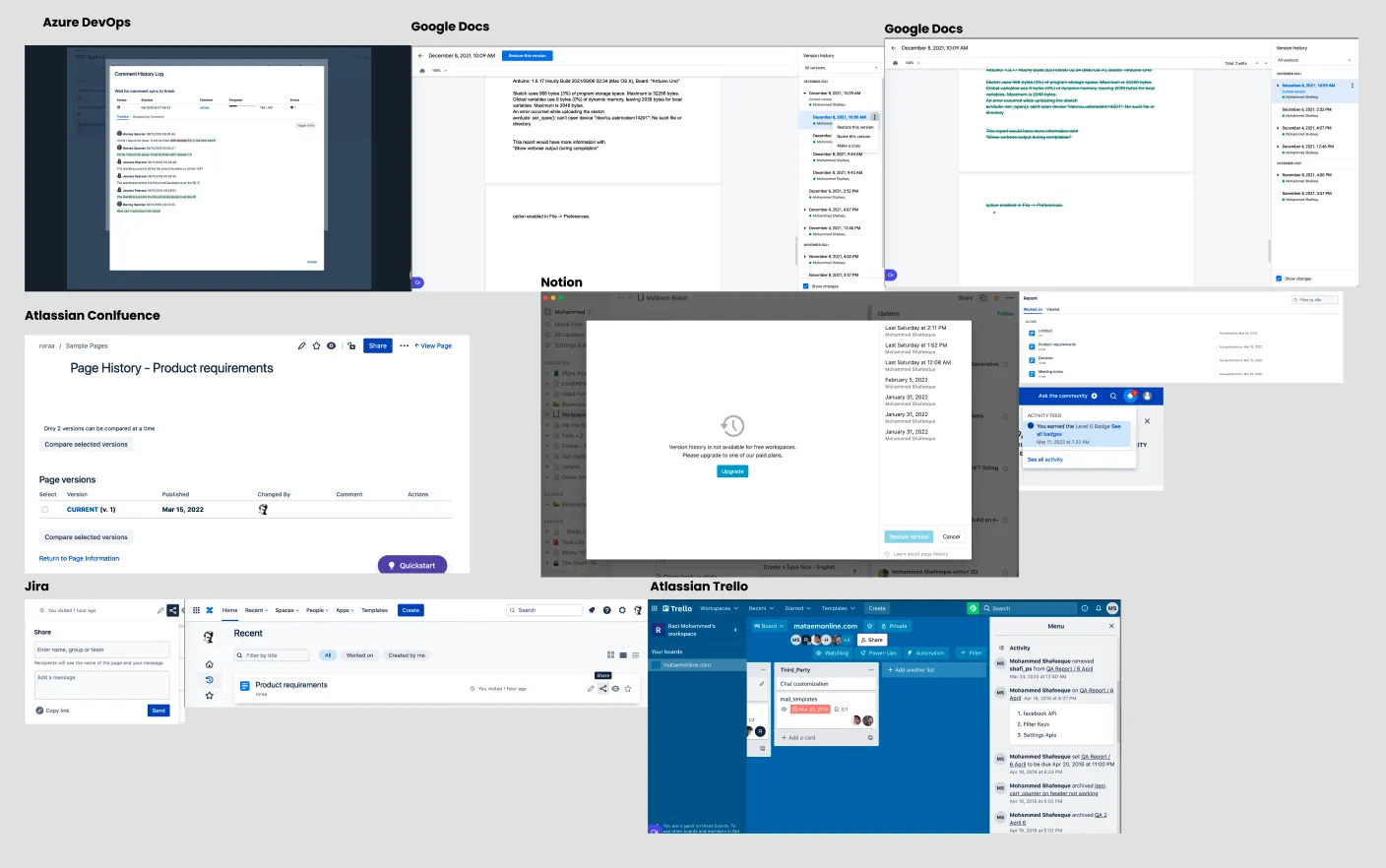
What two managers asked for
I sat with two managers who run teams on ERP software and watched how they track work today. Their asks became eight user stories, five of them must-haves:
| As an admin I want to | So that | Priority |
|---|---|---|
| Quickly see activities and see detailed view | it saves time for other tasks | Must have |
| Log listed by timestamp | information stays in order, easy to track | Must have |
| Non-modal detail (lightbox or sidebar) | no distraction from other tasks | Must have |
| Indication for new activities | tracking stays transparent | Good to have |
| History scenarios on a detailed log | critical tasks keep their context | Good to have |
| Revoke a detailed view | running tasks never interrupt | Good to have |
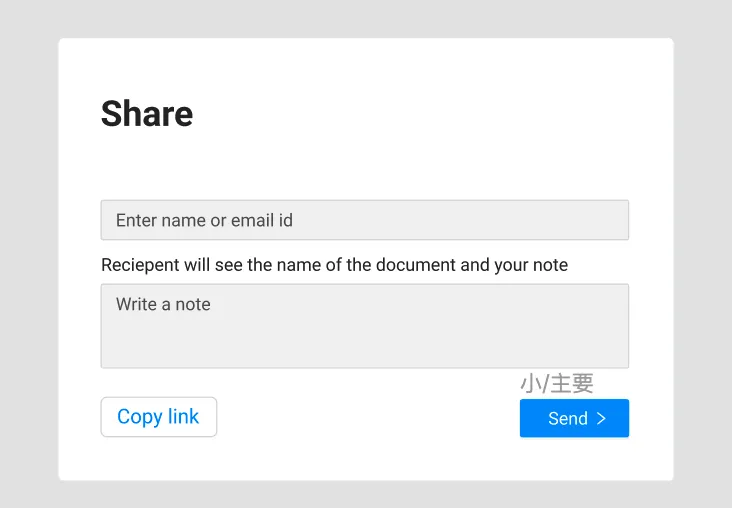
| Share a log with link and note to it | easy to share and reference | Good to have |
| Quickly search an activity | tracking a log saves time | Must have |
Two lines drove every later decision: "Quickly see activities and see detailed view" and "share a log with link and note to it." Speed first, detail on demand, proof you can pass along.
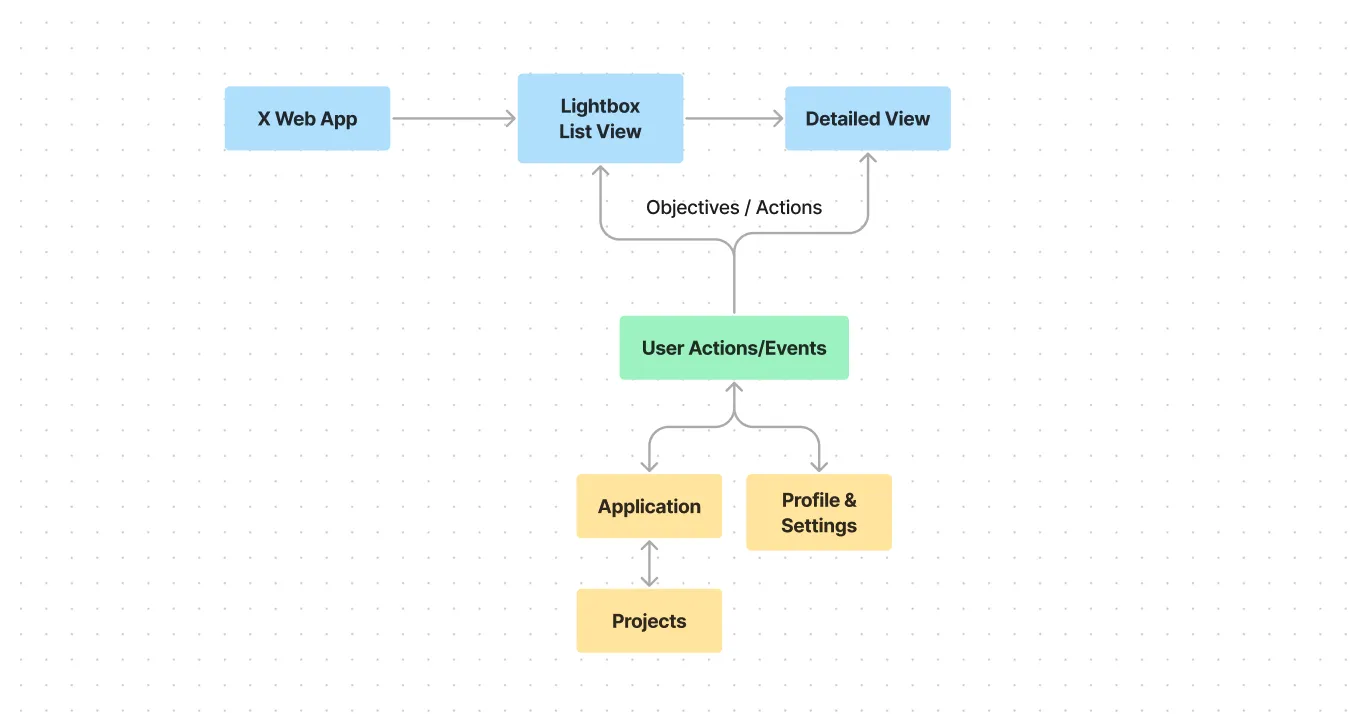
What the design includes
The system rests on one dataset split: filters (users, projects, files, date range), share (link, user field, note), export (CSV). The main components: user, events, projects, and realtime data-change tracking.
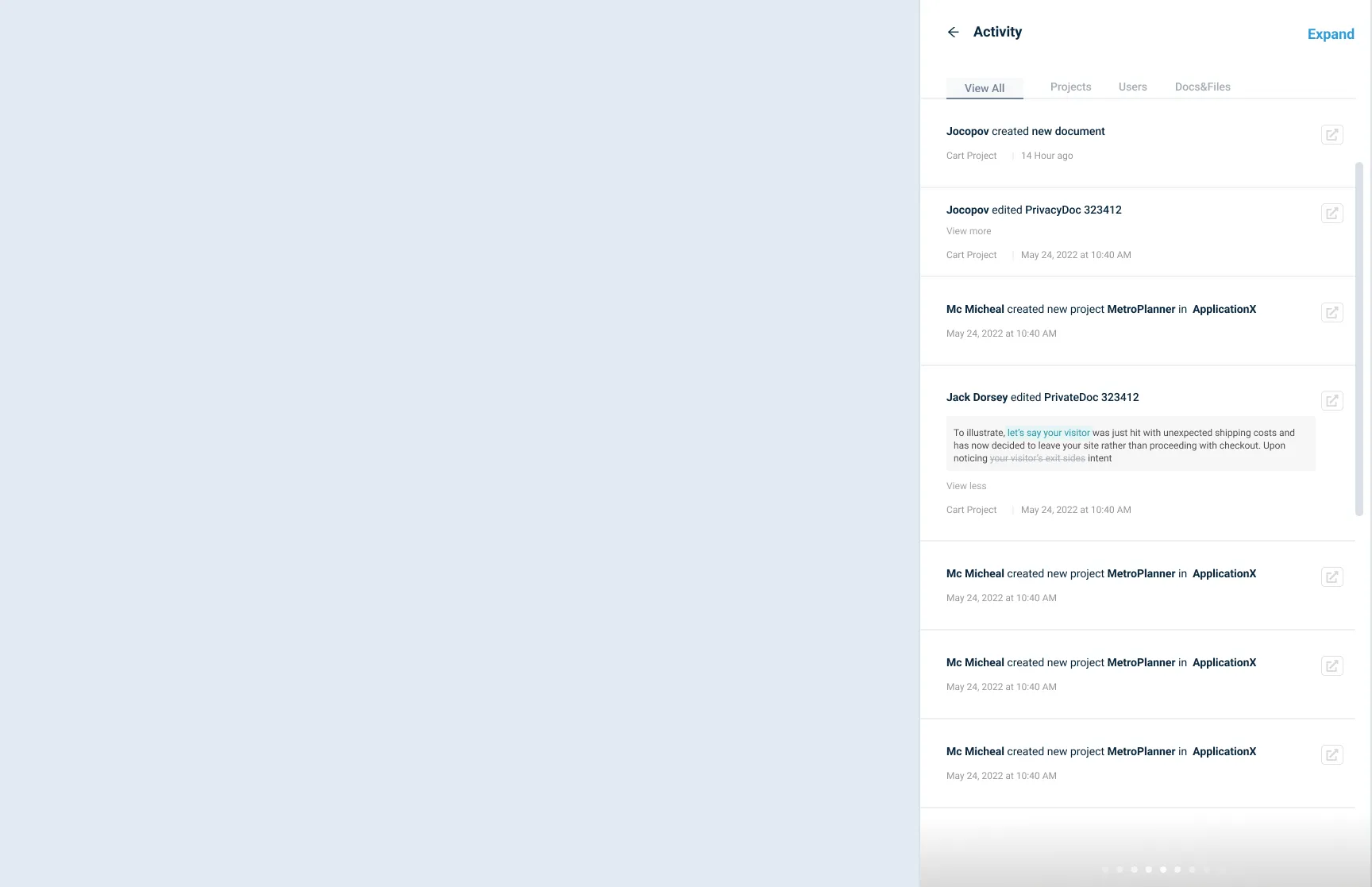
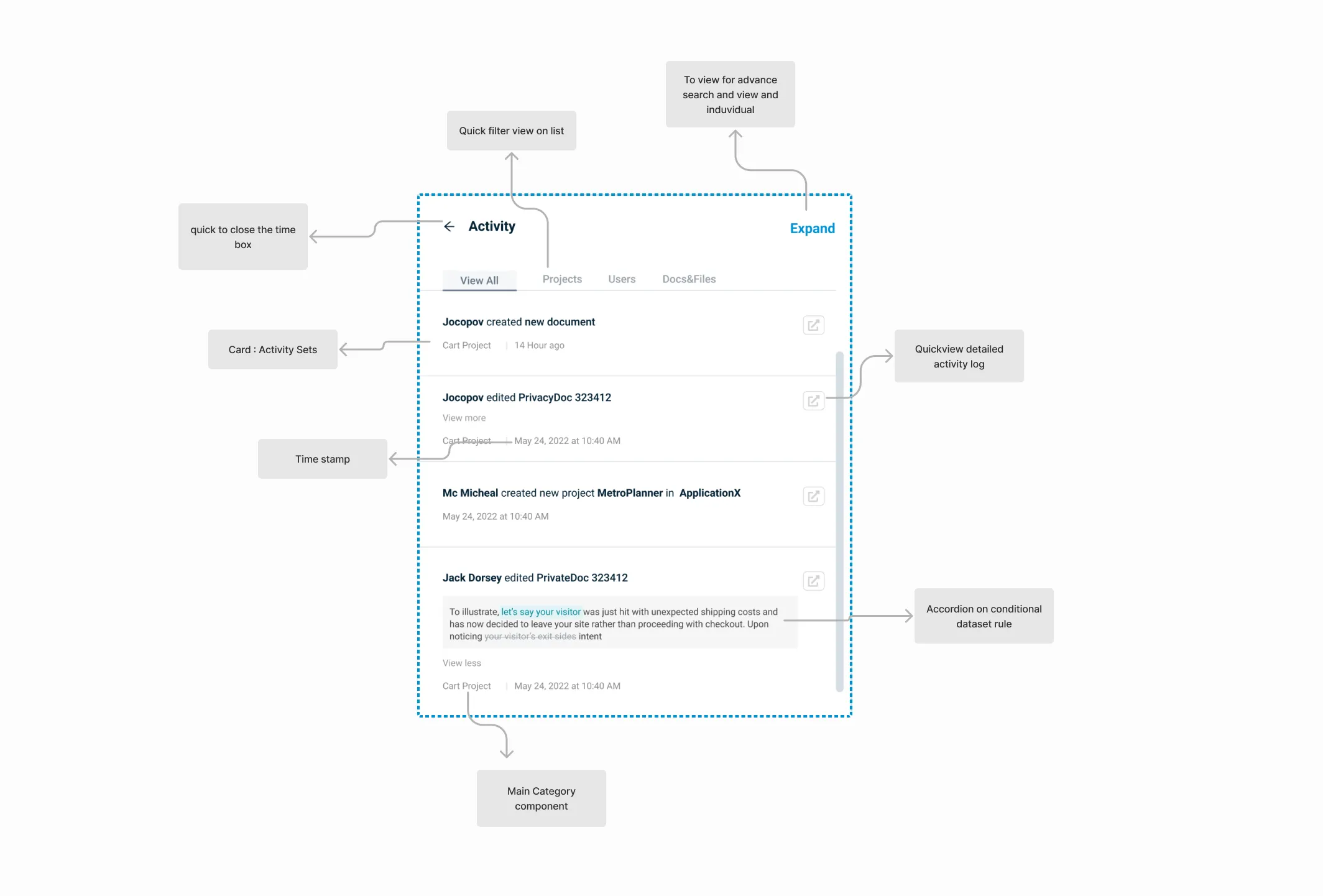
Detail views open beside the list instead of replacing it. Default views show the unfiltered starting point; date-range and event filters plus keyword search narrow to the exact action. Radio filters with reset-all handle the case where an admin wants only some filters on.
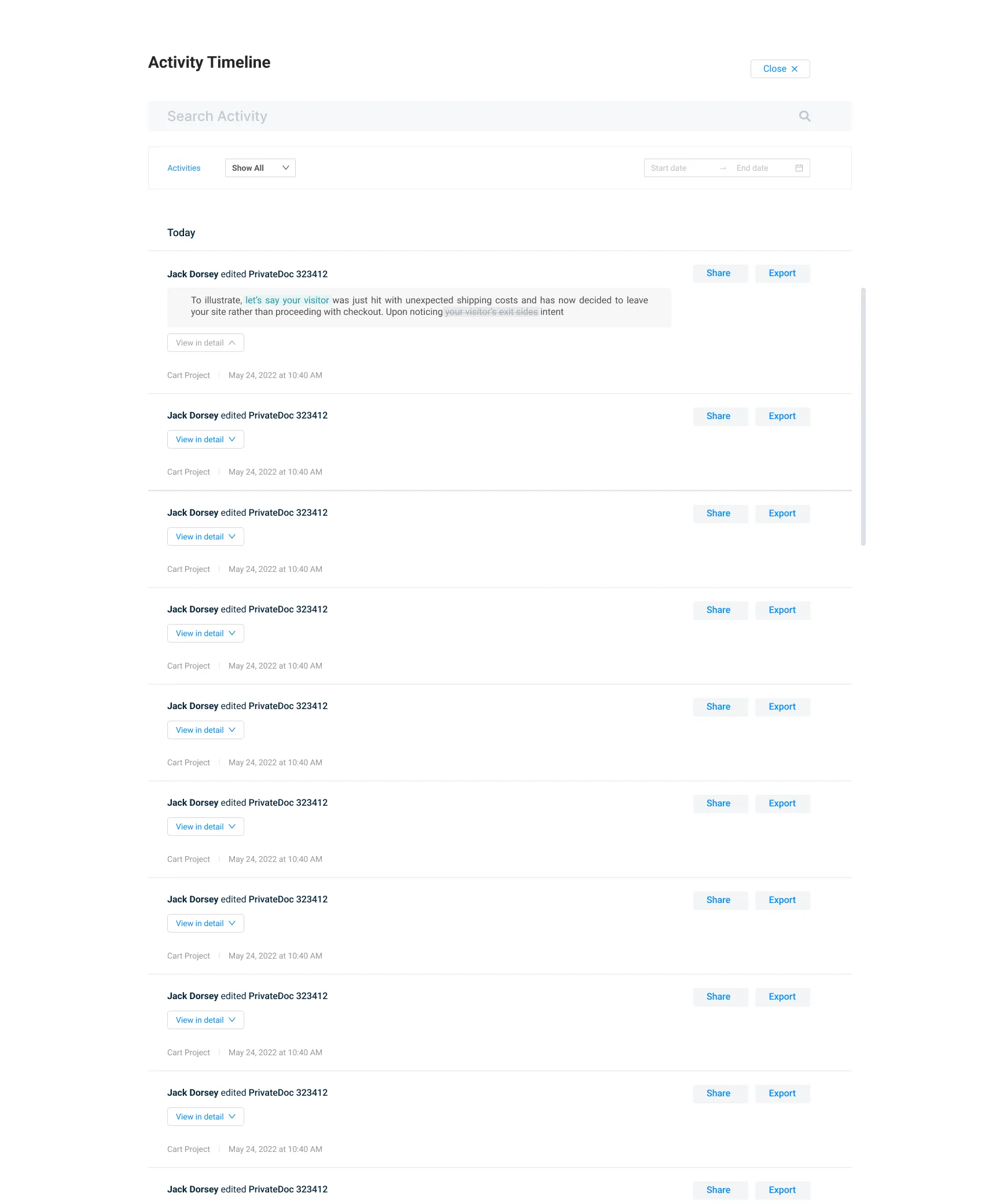
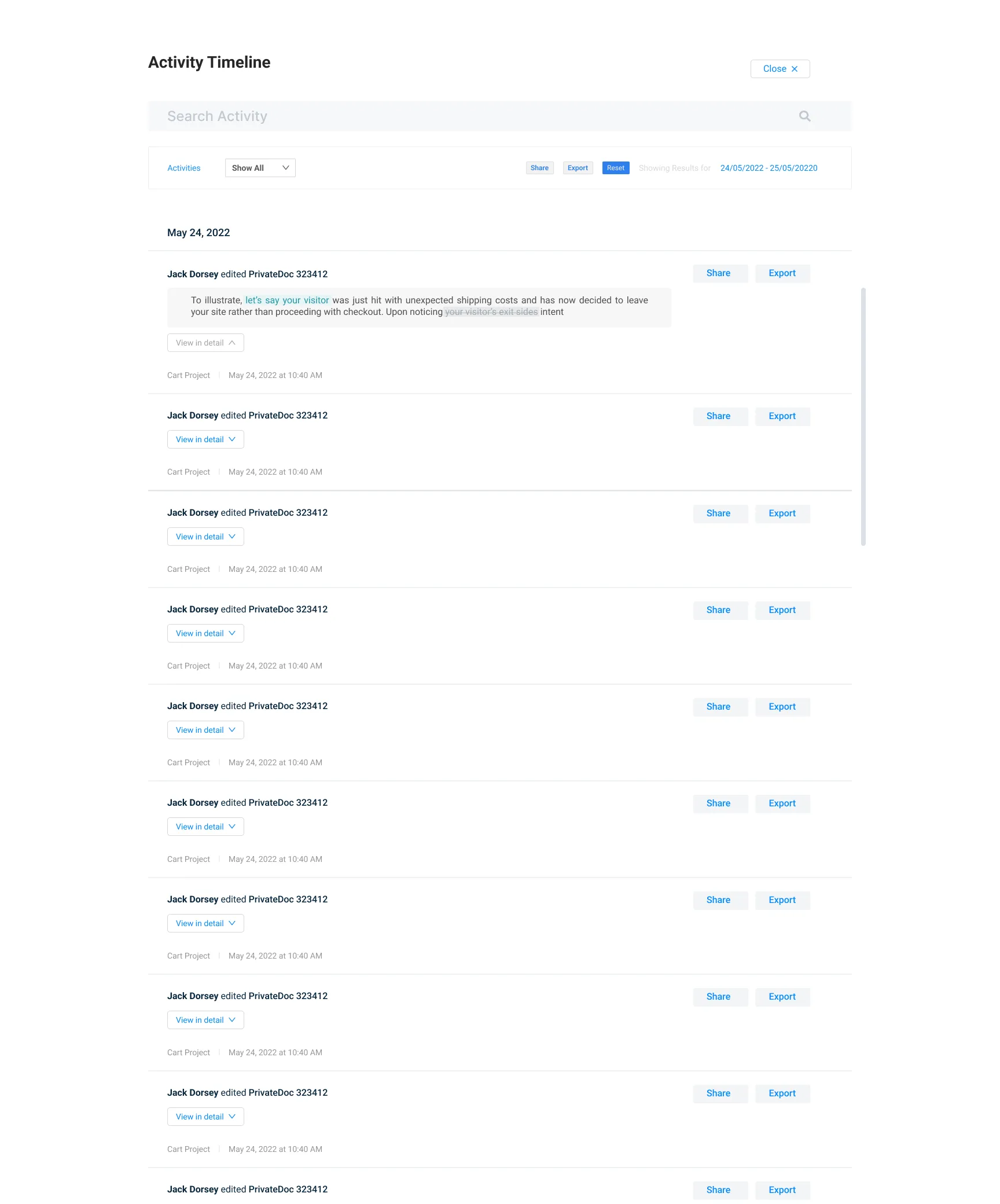
Share copies a link with an optional note for the recipient, scoped to permission sets. Export hands over the same data as CSV by date range. Empty states got equal care: a search with no results explains what happened and what to try next — the same discipline as why curation is the job now.
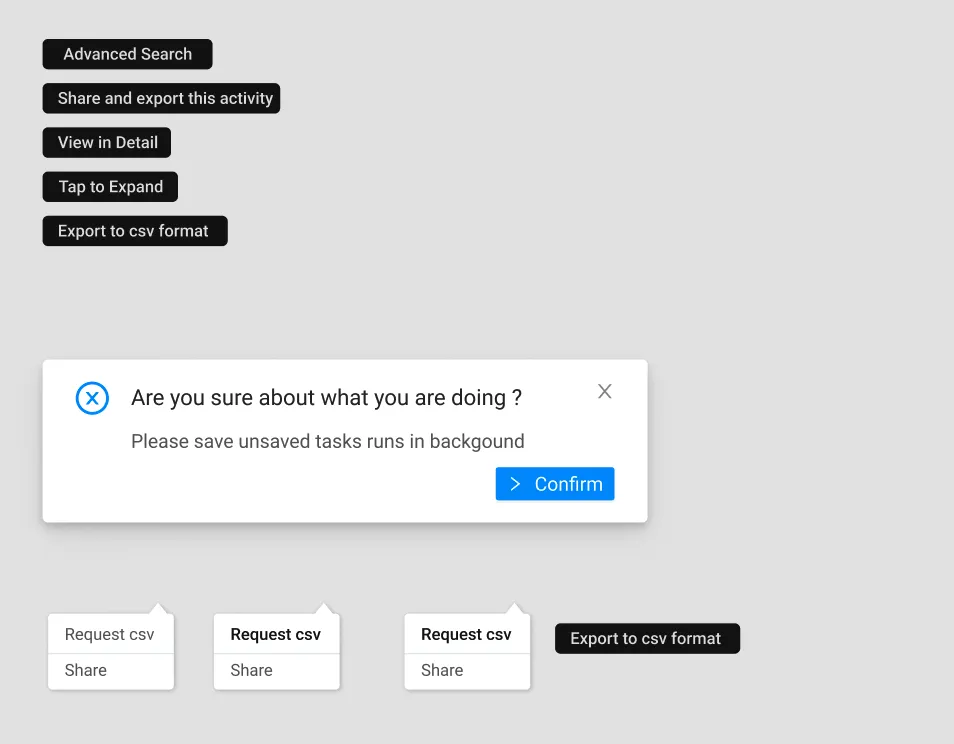
Toasters confirm actions, error messages name the failed step, and micro-interactions keep dataset rules visible: activity sets open inline so admins see the most sets at a glance, with more detail one tap away.
What survived contact with developers
Three co-creation items decided what shipped: the design works with a single API, search queries carry filter params, and timestamp broadcasting feeds realtime updates into query results. Naming got plain words — members and people instead of users, docs instead of files — because readable labels survive handoffs that clever ones do not.
Tradeoffs stayed explicit: data quality and traceability first, typography and grid polish second, with usability testing deciding the flow order. An admin tool earns its place the same way a demo earns a second session: prove the states real work lives in, not just the happy path.
Frequently asked questions
It gives admins of a response management system one place to see what their team did: who acted, what changed, and when. Managers track critical updates without asking people for status reports.
About the author
mosh
mosh is a product designer for growth, working with design thinking and ever-improving design systems. What matters: fixing conversion, whether in B2B dashboards or direct-consumer apps.
Keep reading
- GymProLuxe: turning a resistance kit into a training system
GymProLuxe sold trusted hardware but motivation faded after delivery. Premium app UX gave every owner a daily plan matched to their kit.
- ScoreAi: match search redesign that lifted engagement
ScoreAi had demand but its match search leaked engagement. A conversion-first rebuild of hierarchy, scanning, and onboarding fixed discovery.
- You don't have a prompting problem. You have a vocabulary problem
Ben Tossell shipped a style picker because founders can't name what they want — and Google's DESIGN.md proves a shared vocabulary beats a longer prompt every time.